Understanding Object-Oriented Programming in JavaScript

What Object-Oriented Programming (OOP) means?
When programs start growing, managing data and behavior separately can become messy.
This is where Object-Oriented Programming (OOP) helps.
OOP is a programming style where we organize code using objects that contain both data and behavior.
Instead of writing scattered variables and functions, we group them into objects that represent real-world things.
For example:
A Car can have properties like color and brand
It can also perform actions like start or drive
In OOP, we represent such things using classes and objects.
Real World Analogy: Blueprint → Objects
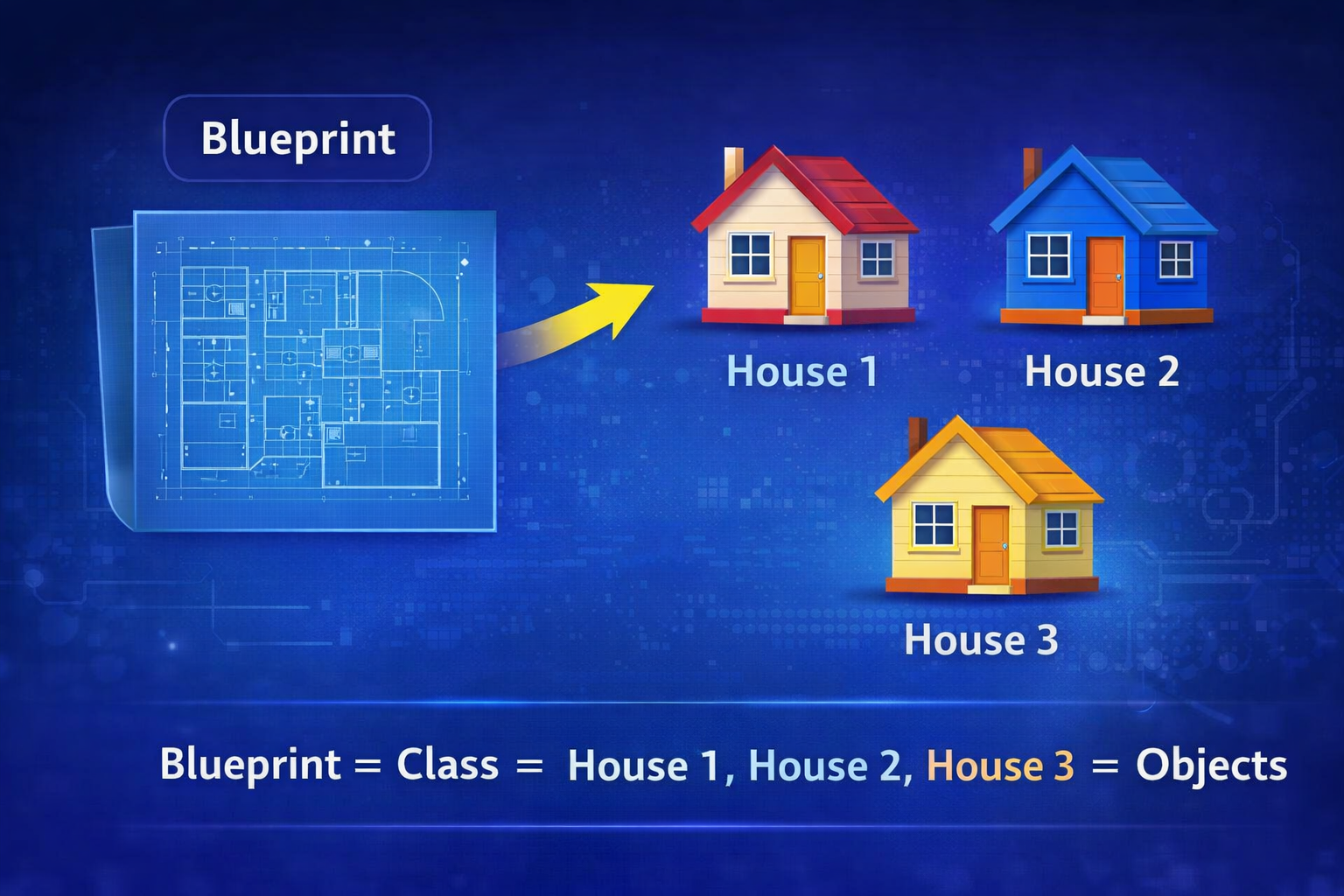
The easiest way to understand OOP is through a blueprint analogy.
Imagine an architect designing a house blueprint.
The blueprint itself is not a house, but it contains the plan for creating houses.
From one blueprint, we can build many houses.
Blueprint → House 1
          → House 2
          → House 3
In programming:
Blueprint = Class
Actual house = Object
A class defines the structure, and objects are instances created from that class.
What is a Class in JavaScript?
A class is like a blueprint used to create objects. In simple terms, a class is a blueprint used to create objects. In JavaScript, it allows us to define properties (data) and methods (behavior) that multiple objects can share.
It defines:
what properties an object will have
what actions (methods) the object can perform
Example:
class Person {
}
This creates a Person class, but it doesn’t have any data yet.
Next, we add properties using a constructor.
Constructor Method
A constructor is a special method that runs automatically when we create an object from a class.
It is used to initialize properties. A constructor is created automatically when a object is created.
Example:
class Person {
  constructor(name, age) {
    this.name = name;
    this.age = age;
  }
}
Here:
nameandageare propertiesthisrefers to the current object being created
Creating Objects Using Classes
Once a class is defined, we can create objects using the new keyword.
Example:
let person1 = new Person("Rahul", 25);
let person2 = new Person("Anita", 30);
Now we have two different objects created from the same class.
Person Class
   ↓
person1 → Rahul, 25
person2 → Anita, 30
This shows the power of reusability.
We write the class once, but create many objects.
Methods Inside a Class
Classes can also contain methods, which define actions objects can perform.
Example:
class Person {
  constructor(name, age) {
    this.name = name;
    this.age = age;
  }

  introduce() {
    console.log("Hi, my name is " + this.name);
  }
}
Now we create an object:
let person1 = new Person("Rahul", 25);

person1.introduce();
Output:
Hi, my name is Rahul
Here, introduce() is a method inside the class.
Basic Idea of Encapsulation
Encapsulation means keeping related data and behavior together in one place.
Instead of writing separate variables and functions, we bundle them inside a class.
Example:
class Student {
  constructor(name, age) {
    this.name = name;
    this.age = age;
  }

  printDetails() {
    console.log(this.name + " is " + this.age + " years old.");
  }
}
Here the data:
name
age
and the behavior:
printDetails()
are grouped inside the same class.
This makes the code cleaner and easier to maintain.
Quick Example: Student Class
Let’s create a simple Student class.
class Student {
  constructor(name, age) {
    this.name = name;
    this.age = age;
  }

  showDetails() {
    console.log(this.name + " is " + this.age + " years old.");
  }
}
Creating multiple students:
let student1 = new Student("Rahul", 21);
let student2 = new Student("Priya", 22);

student1.showDetails();
student2.showDetails();
Output:
Rahul is 21 years old.
Priya is 22 years old.
From one class, we created multiple objects.
Wrapping Up
Object-Oriented Programming helps us write organized and reusable code.
In this article we learned:
What OOP means
Blueprint → Object analogy
What a class is
How to create objects using classes
Constructor method
Methods inside classes
Basic idea of encapsulation
Classes allow us to define a structure once and reuse it to create many objects, which is a powerful way to organize real-world data in programs.


